Only perform these steps when instructed by a Lunar Client staff member
1. Open the Lunar Client launcher.
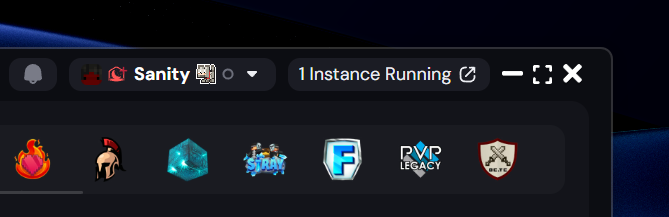
2. Check the top right corner, to ensure you're logged into a Minecraft account. Your Minecraft username should be displayed.
3. Expand the "Lunar Client" dropdown at the top left, and select "Upload Logs".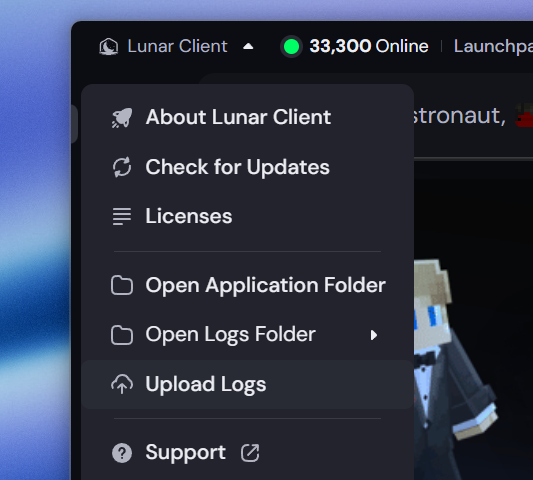
4. You should see a notification at the bottom right of your launcher confirming the log upload.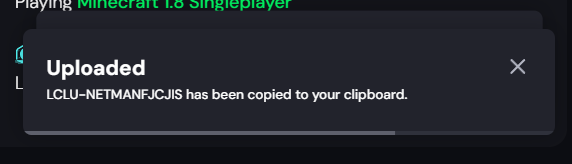
5. Share your Log ID with the Lunar Client staff member who asked you to follow this guide.
Was this article helpful?
That’s Great!
Thank you for your feedback
Sorry! We couldn't be helpful
Thank you for your feedback
Feedback sent
We appreciate your effort and will try to fix the article