Lunar+ subscribers have the option to enable Lunar Client Cloth Cloaks. Lunar Client Cloth Cloaks offer real-life cosmetic physics.
To enable Cloth Cloak, follow the instructions below.
Instructions
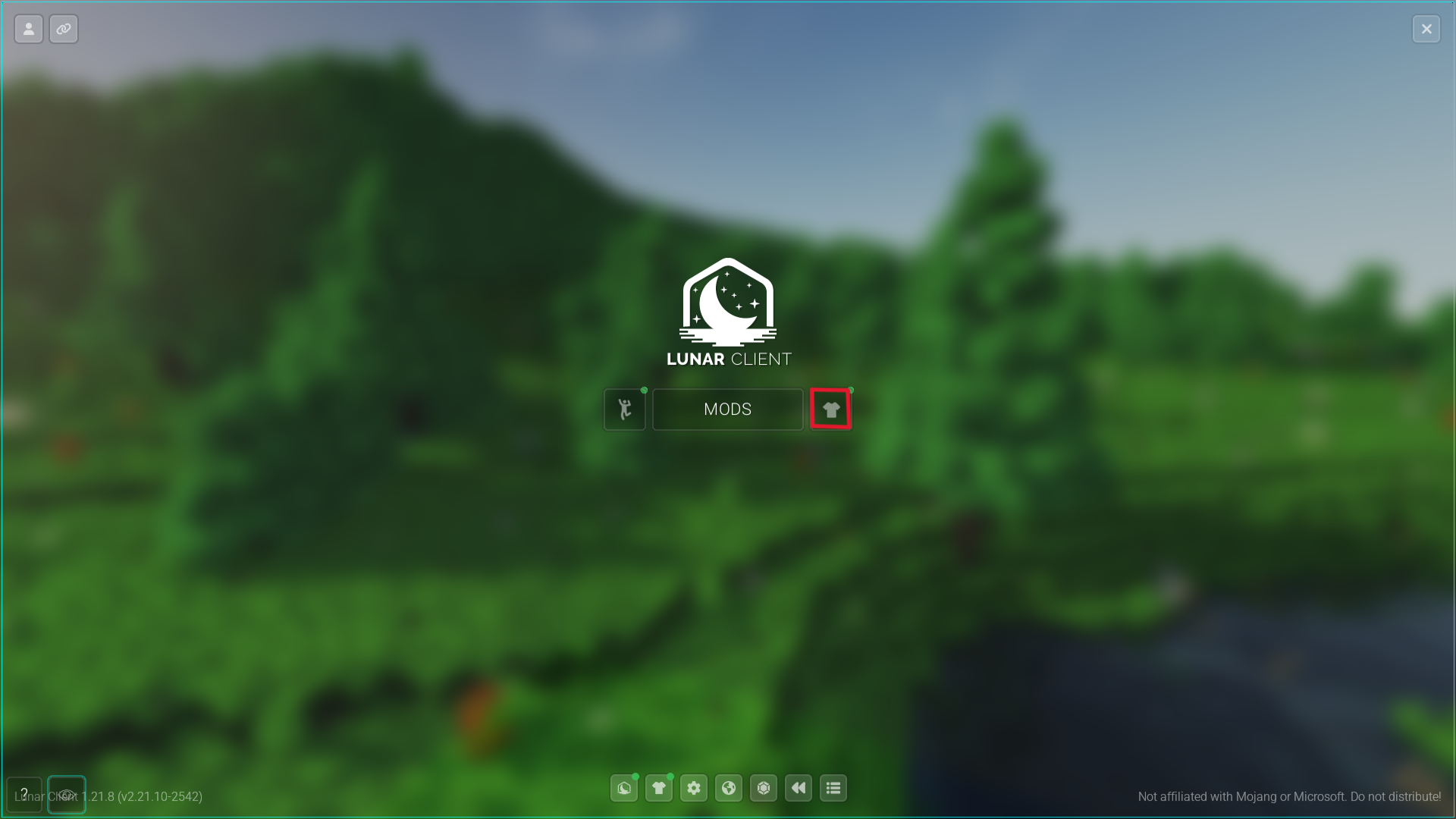
Step 1: Open the Lunar Client Cosmetics menu
- Open your Lunar Client main menu
- Open the Lunar Cosmetics menu
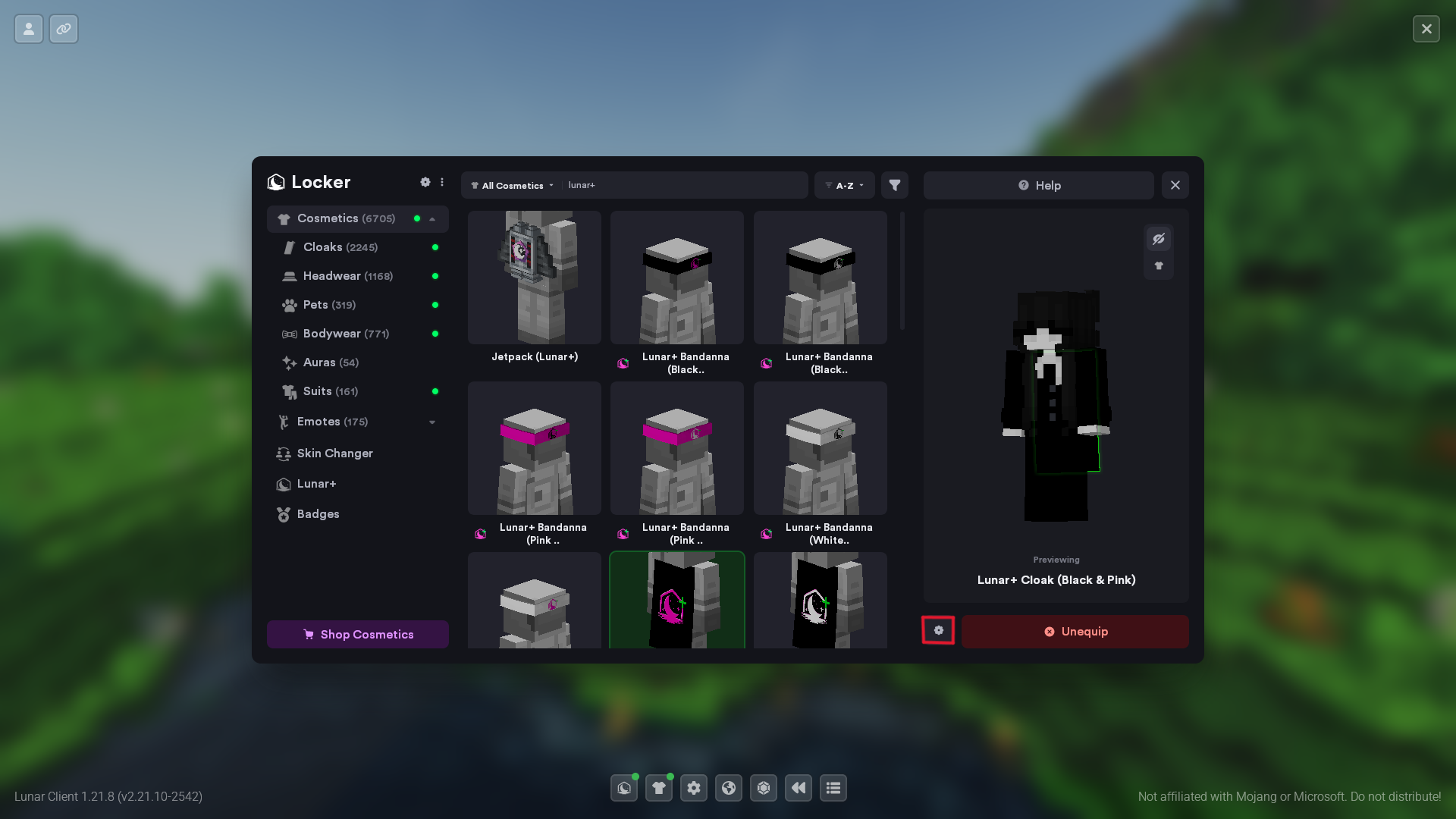
Step 2: Equip a cloak
- Equip your desired Lunar Client Cloak.
- Check the Cloth Cloak settings below your character.
Step 3: Enable Cloth Cloak
You can now enable the cloth cloak option.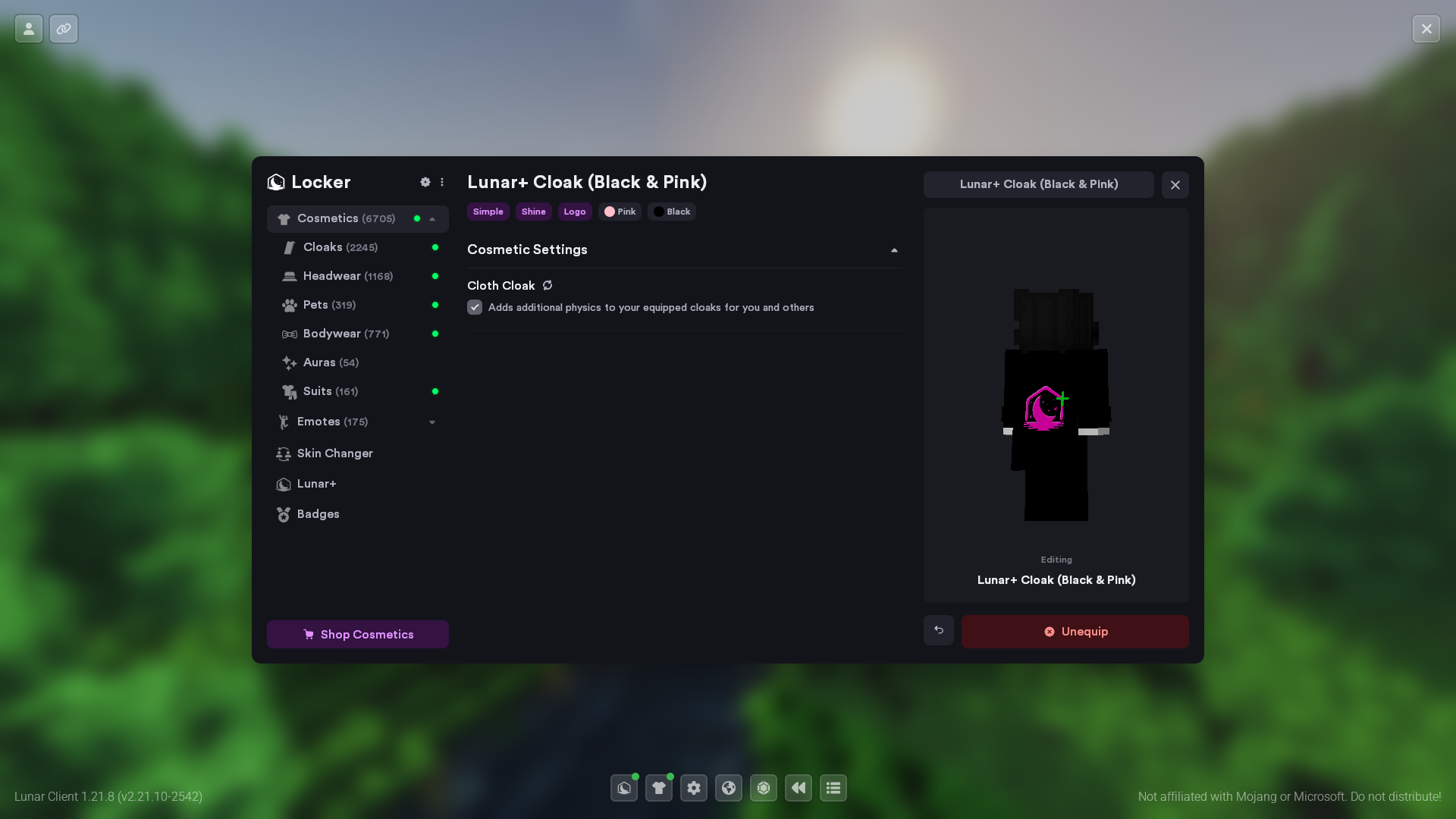
Was this article helpful?
That’s Great!
Thank you for your feedback
Sorry! We couldn't be helpful
Thank you for your feedback
Feedback sent
We appreciate your effort and will try to fix the article