After you've purchased your desired Lunar Client Cosmetic, you will of course want to see it in-game. To do that, follow the instructions below!
Instructions
Step 1: Open the Lunar Client Cosmetics menu
- Go into your Lunar Client main menu.
- Open the Lunar Cosmetics menu.
You can also open your Lunar Client cosmetic menu in-game through the Right Shift key.
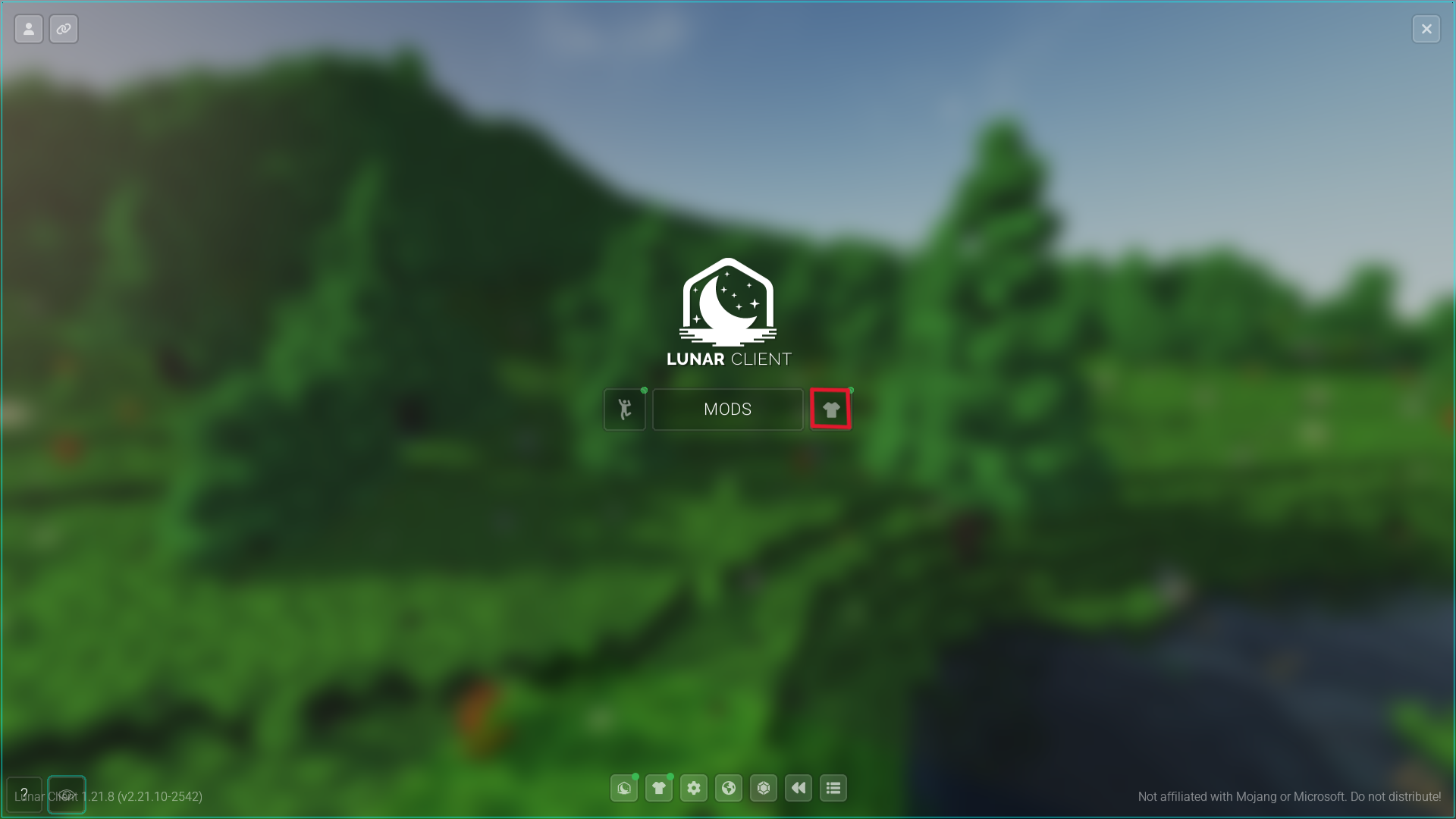 Newly purchased items will show a little green dot over their respective categories as demonstrated above.
Step 2: Enabling your Lunar Client Cosmetic
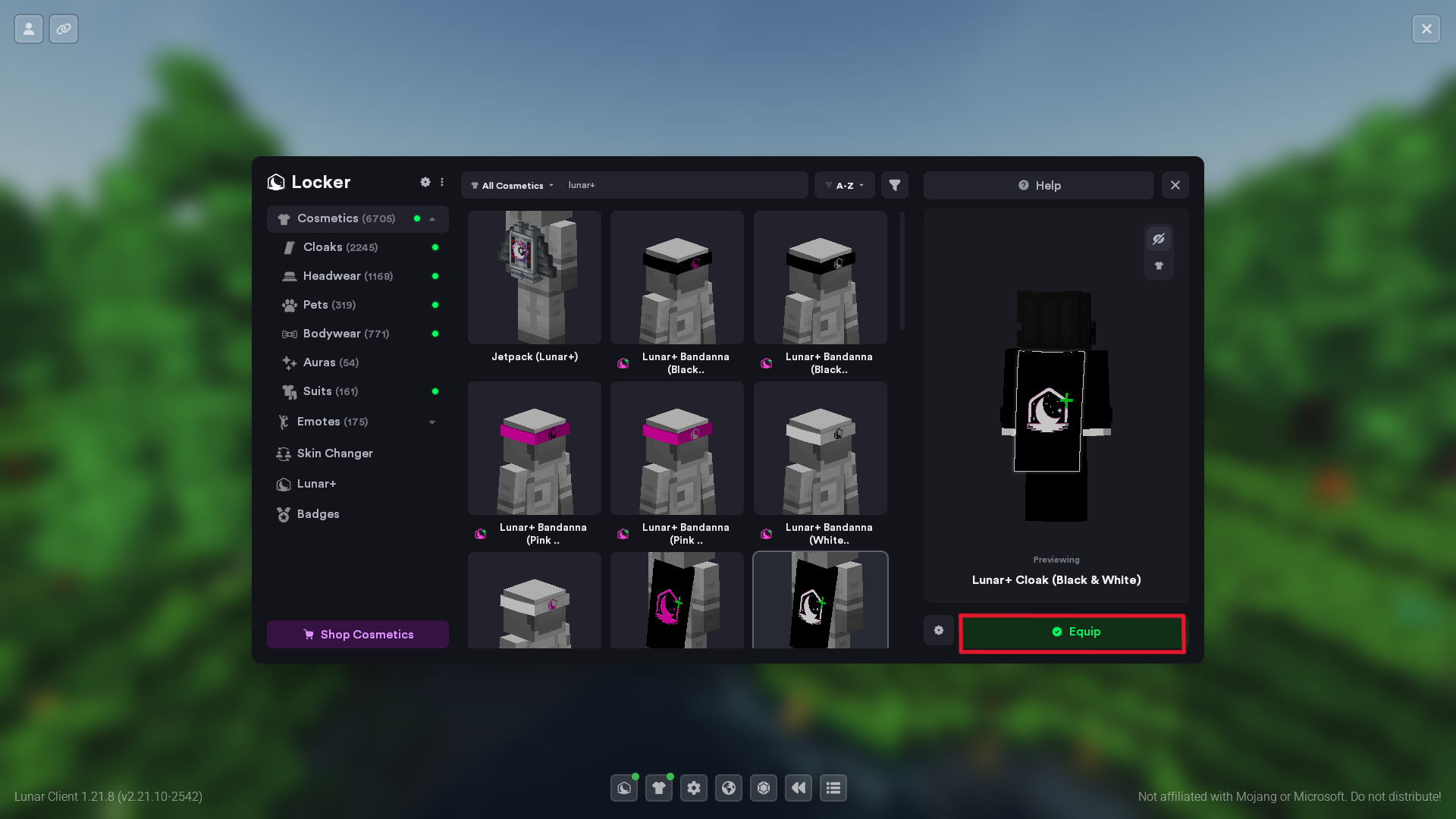
- Click your desired cosmetic.
- Click the Equip button below your character.
You can also unequip it from that same button.
Was this article helpful?
That’s Great!
Thank you for your feedback
Sorry! We couldn't be helpful
Thank you for your feedback
Feedback sent
We appreciate your effort and will try to fix the article